
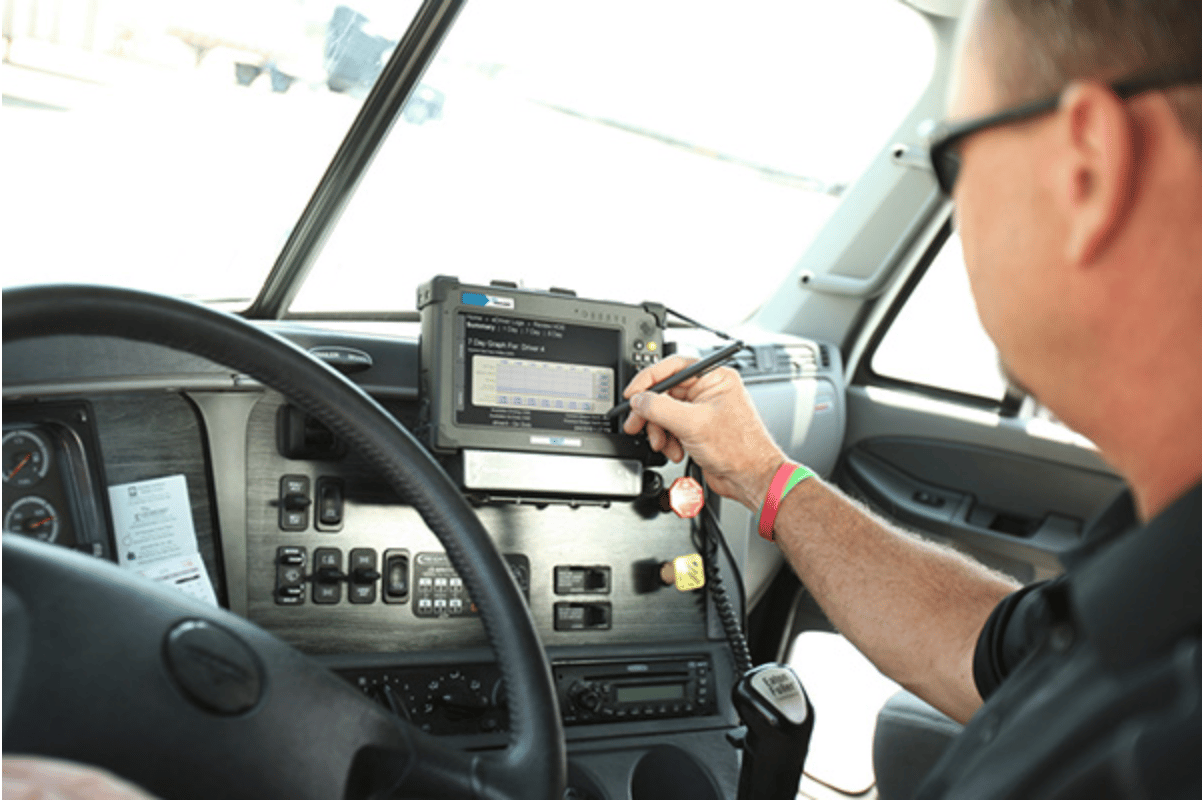
A roadside inspection goes a lot better when the driver knows the process before the stop happens. The officer may ask to review electronic logs, check hours of service, confirm required documents, or request a data transfer from the ELD.
The driver does not need to panic. They need to know where their logs are, how to open roadside inspection mode, how to send the file, and what to do if the device or transfer method does not work.
For fleets, roadside readiness is not just a driver issue. It depends on training, clean logs, working equipment, and a back office that helps drivers stay ahead of compliance problems before they become roadside violations.
What Happens During A Roadside Inspection with ELDs?
During an ELD roadside inspection, a safety official checks the driver’s Record of Duty Status, also called RODS. The driver must be ready to show the current day and the previous 7 days of logs.
The officer may ask the driver to transfer the ELD file electronically or show the logs on the device display. The inspection may also include CDL verification, medical card review, vehicle registration, a vehicle walk-around, and a check for hours-of-service violations.
Drivers should understand that the ELD is only part of the inspection. A clean logbook helps, but so does a working device, required paperwork, completed DVIRs, and a calm process when the officer asks for information.
Drivers who want a stronger foundation can review driver logbook basics before they are asked to explain their logs during a stop.
Quick ELD Roadside Inspection Checklist
A good roadside inspection starts before the truck reaches the scale house. Drivers should build a simple routine that keeps the ELD, logs, documents, and inspection steps ready.
Before driving, check that the ELD is connected, the app is working, and the correct vehicle is selected. Review available hours, resolve unassigned driving time, certify previous logs, and complete the required pre-trip process.
Drivers should also confirm that the ELD information packet is in the cab. That packet should include the user manual, data transfer instructions, malfunction instructions, and at least 8 days of blank paper logs.
During the inspection, stay professional and do not rush through the screen. Open roadside inspection mode, show the requested logs, and use the transfer method the officer requests if your ELD supports it.
After the inspection, report any citation, warning, device issue, or log problem to the carrier. If the ELD malfunctioned or the transfer failed, follow company procedures and document what happened while the details are still fresh.
Required ELD Documents Drivers Must Keep In The Cab
A driver can have a working ELD and still run into trouble if the required documents are missing. These documents help the officer understand how the device works and help the driver respond if the ELD fails.
The information packet should be easy to find. It should not be buried in the sleeper, mixed with old paperwork, or saved somewhere the driver cannot access during the stop.
ELD User Manual
The user manual explains how to operate the ELD. During a roadside inspection, it may help the driver or officer understand how to view logs, use inspection mode, or complete a data transfer.
Drivers should know where this manual is stored. If it is digital, it should be available even when cell service is weak or the driver is under inspection pressure.
Data Transfer Instructions
The data transfer sheet explains how the driver provides logs to an authorized safety official. This is important because different ELDs may support different transfer options.
Drivers should practice this process before they need it. A roadside inspection is not the right time to search through menus for the first time.
Malfunction Instructions
The malfunction instruction sheet tells the driver what to do if the ELD stops working, disconnects, or shows an error. This document matters because a malfunction does not remove the driver’s responsibility to maintain accurate records.
Drivers should know when to notify the carrier, when to switch to paper logs, and how to record duty status during the malfunction period.
For a deeper walk-through, drivers and fleet managers can review these ELD malfunction steps before a roadside problem happens.
Blank Paper Logs
Drivers using ELDs still need blank paper logs in the truck. The common requirement is at least 8 days of blank RODS graph grids in case the ELD fails and the driver must keep manual records.
Paper logs should be clean, available, and ready to use. They are not a backup plan if drivers dislike the ELD, but they are necessary if the device has a complete failure.
How Drivers Transfer ELD Logs During A Roadside Inspection
Most drivers will be asked to provide logs through an approved ELD transfer method. The exact steps depend on the ELD, but the driver should understand the basic options.
Some systems transfer logs through web services or email. Others may support local transfer methods such as USB or Bluetooth. If the transfer does not work, the officer may review the display or request a printout when available.
Web Services Or Email Transfer
With web services or email transfer, the driver sends the ELD output file through the app or device. The officer may provide a routing code or comment that must be entered before sending.
Drivers should slow down and enter the details carefully. A wrong entry can make the transfer fail or delay the inspection.
Display Screen Review
If electronic transfer fails, the driver may need to show the ELD display. The device should make it easy for the officer to review the current day and previous 7 days of logs.
This is where roadside inspection mode helps. It gives the officer the needed log view without opening unnecessary parts of the driver’s app or account.
Printout Backup
Some setups may allow a printout. If that is available, the printout must show the required RODS information clearly enough for the officer to review.
Drivers should not assume a printout replaces knowing how to use the ELD. It is a backup method, not the main training plan.
What Officers Usually Check On ELD Logs
An officer is usually looking for accuracy, availability, and compliance. The logs should show the driver’s duty status clearly and match the driver’s operation.
Common review points include available hours, duty status changes, driving time, off-duty periods, sleeper berth use, and whether the driver has certified previous logs.
Current Day And Previous 7 Days
The driver should be ready to show the current day and previous 7 days of RODS. If the driver recently switched carriers, devices, or log methods, the driver still needs records for the required period.
Fleet managers should make sure drivers understand this before dispatch. Missing prior records can create problems even if the current device is working.
HOS Violations
The officer may review whether the driver exceeded driving limits, missed required breaks, or used duty statuses incorrectly. Small errors can become larger problems when they affect hours of service.
Drivers should review available hours before leaving, not after they are stopped. Fleet teams using BIT ELD for simple electronic logbooks can help drivers see available-hours clocks and manage log certification through the Blue Ink Tech app.
Uncertified Logs
Uncertified logs are one of the easiest issues to prevent. Drivers should certify logs after each 24-hour period and resolve prompts before they become inspection problems.
A driver who waits until a roadside stop to clean up logs may feel rushed and make mistakes. Log review should be part of the daily routine.
Unassigned Driving Time
Unassigned driving time can raise questions during an inspection. If the vehicle moved and the time is not assigned correctly, the driver or carrier may need to explain it.
Drivers should review unresolved issues before each trip. Back-office teams should also watch for unassigned movement and help resolve it before the vehicle reaches a roadside inspection.
Personal Conveyance And Yard Moves
Personal conveyance and yard moves must be used correctly. Misusing these statuses can create serious log accuracy concerns.
Personal conveyance should not be used to move closer to a shipper, receiver, maintenance location, or business destination. Yard move should only be used in appropriate yard conditions based on company policy and compliance rules.
Drivers who need a broader refresher can review ELD requirements for trucking to understand how daily ELD use connects with compliance.
-X900.jpg?width=900&height=1244&name=BIT%2c-Dashcam-(1)-X900.jpg)
Common ELD Roadside Inspection Mistakes To Avoid
Most ELD inspection problems are preventable. The key is to handle logs daily instead of waiting until an officer asks to see them.
Drivers should know how to open inspection mode, transfer logs, display RODS, find required documents, and explain device issues clearly.
Not Knowing How To Open Roadside Inspection Mode
This is a training problem that fleets can fix. Every driver should practice opening roadside inspection mode before their first inspection.
A short practice session can prevent stress later. Drivers should be able to find the inspection screen without calling support unless there is a real device issue.
Missing Required Documents
The ELD information packet should stay in the cab. If drivers switch trucks, the documents need to move with them or be available in the assigned vehicle.
Fleet managers should check these documents during internal inspections. It is a simple step that can prevent an avoidable violation.
Forgetting DVIRs Or Pre-Trip Records
A roadside inspection may move beyond ELD logs and into vehicle condition. DVIR habits matter because they show whether defects are being documented and handled properly.
Drivers and managers can use this guide to DVIR requirements to strengthen the daily inspection process before roadside enforcement is involved.
Ignoring ELD Malfunction Messages
Drivers should not ignore malfunction messages or assume they can fix them later. A malfunction needs a clear response, including notifying the carrier and keeping accurate records.
If the device is not working properly, the driver still needs valid RODS. That is why blank paper logs and malfunction instructions must be available.
What To Do If The ELD Malfunctions During An Inspection
An ELD malfunction during a roadside inspection is stressful, but it is manageable if the driver knows the process. The first step is to stay calm and follow the ELD malfunction instructions.
The driver should notify the carrier according to company process and document the issue. If the ELD cannot produce accurate logs, the driver may need to use paper logs until the issue is resolved.
The driver should not continue without a valid record of duty status. The goal is to keep accurate records, communicate quickly, and avoid guessing.
Fleet managers should make sure drivers know who to call, what to write down, and when paper logs are required. A simple malfunction process can prevent confusion during a real stop.
What Fleet Managers Should Train Before Drivers Are Stopped
Fleet managers and safety teams should not wait for a roadside inspection to find out whether drivers understand the ELD. Training should be practical and repeatable.
A good training process includes a practice inspection. Drivers should open roadside inspection mode, show current and previous logs, find the required documents, and walk through a mock data transfer.
Managers should also review driver profiles, vehicle assignments, carrier information, and device connections. Small setup errors can become big problems when the officer is waiting.
Back-office teams should monitor uncertified logs, unassigned driving time, DVIR issues, and ELD alerts. The goal is to fix issues during normal operations instead of under roadside pressure.
For drivers who need more background on the technology itself, this guide on how an ELD works can help explain why the device records vehicle movement, duty status, and log data the way it does.
How BIT ELD Helps Drivers Stay Roadside Ready
Blue Ink Tech built BIT ELD for practical driver use and back-office visibility. The system is designed to help drivers manage electronic logbooks without making the process harder than it needs to be.
BIT ELD includes available-hours clocks with custom alerts, one-tap log certification, guided log editing, linked Knowledge Base and Help tools, and night mode for easier viewing.
Those features matter during daily operations and during inspection prep. Drivers can see available hours, certify logs, review unresolved issues, and use app-based tools before a roadside stop creates pressure.
BIT ELD also supports roadside log transfer from the app. Drivers can send logs to the DOT Web Server or DOT email process and enter the officer-provided comment when needed.
The back office also gets useful compliance visibility. Blue Ink Tech helps teams stay ahead of HOS violations, uncertified logs, DVIR issues, maintenance tasks, and ELD logbooks.
BIT ELD adapters are built, programmed, packaged, quality-controlled, and tested in Huntington, West Virginia. The ELD has been DOT-registered since 2017, and Blue Ink Tech support is based in the U.S.
For fleets, that combination matters. Drivers need simple tools in the cab, and managers need visibility before small issues become roadside problems.
Final Thoughts: Roadside Readiness Is A Daily Habit
An ELD roadside inspection should not feel like a surprise test. Drivers who know their ELD, keep logs current, and understand the transfer process are in a better position when an officer asks for records.
The basics matter most. Keep required documents in the truck, certify logs, resolve unassigned driving time, use personal conveyance correctly, complete DVIRs, and know what to do if the ELD malfunctions.
Fleet managers can support drivers by training before the inspection, reviewing issues in the back office, and choosing tools that make compliance easier to manage every day.
BIT ELD helps drivers and fleets stay roadside ready with simple log tools, roadside transfer support, compliance alerts, DVIR support, and U.S.-based support from Blue Ink Tech.
FAQs
What Is An ELD Roadside Inspection?
An ELD roadside inspection is a DOT or safety inspection where an officer reviews the driver’s electronic logs, hours-of-service records, ELD function, and required supporting documents.
How Many Days Of Logs Must A Driver Show?
A driver must be ready to show the current day and the previous 7 days of Record of Duty Status during an ELD roadside inspection.
What Documents Must Be In The Truck With An ELD?
Drivers should keep the ELD user manual, data transfer instructions, malfunction instructions, and at least 8 days of blank paper logs in the truck.
What If ELD Data Transfer Fails?
If the electronic transfer fails, the driver may need to show the logs on the ELD display or provide a printout if available. The driver should follow the ELD instructions and officer’s request.
Do Drivers Still Need Blank Paper Logs With An ELD?
Yes. Drivers should have at least 8 days of blank paper logs available in case the ELD malfunctions or the driver must keep manual records.
What Are Common ELD Roadside Inspection Violations?
Common issues include uncertified logs, missing documents, unassigned driving time, incorrect personal conveyance use, HOS violations, and not knowing how to transfer or display logs.
How Does BIT ELD Help During A Roadside Inspection?
BIT ELD gives drivers simple app-based log tools, available-hours clocks, one-tap log certification, roadside transfer support, DVIR tools, and back-office visibility for compliance issues.